A to-do list that knows what comes next
Regular lists don’t say what’s blocking what. DayGraph does — so your brain doesn’t have to.
Write your routine
Add steps for your morning, evening or a one-time day. Pick the days and a reminder time.
Connect the dots
“Breakfast” waits for “Meds”. “Meds” can be its own list that checks itself off when every pill is taken.
Just do the next step
Locked steps stay quiet. Finish one and the next unlocks — with haptics and confetti at the end.
See your day as a graph
Today view, routine details, the dependency graph and all your lists.
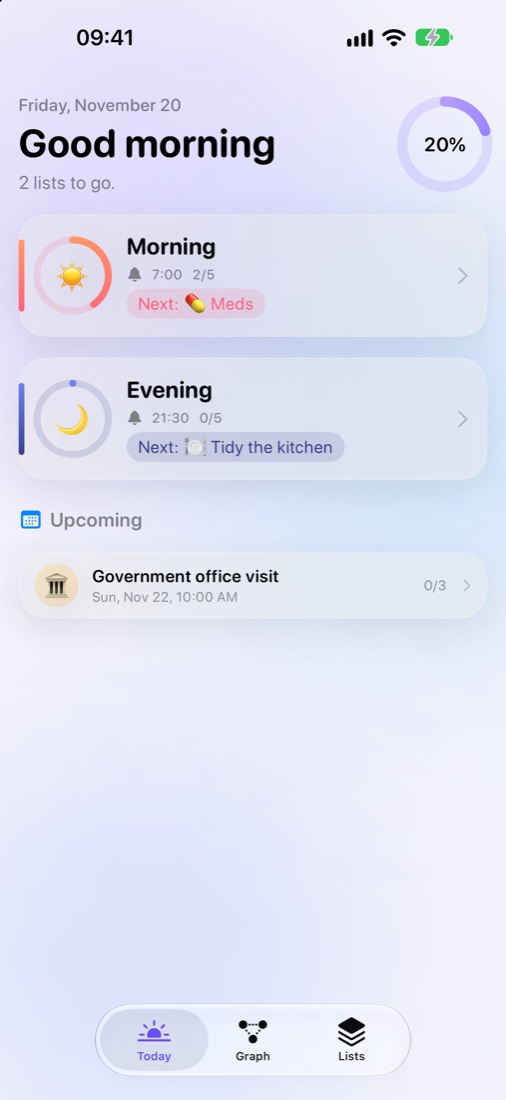
Your day at a glance
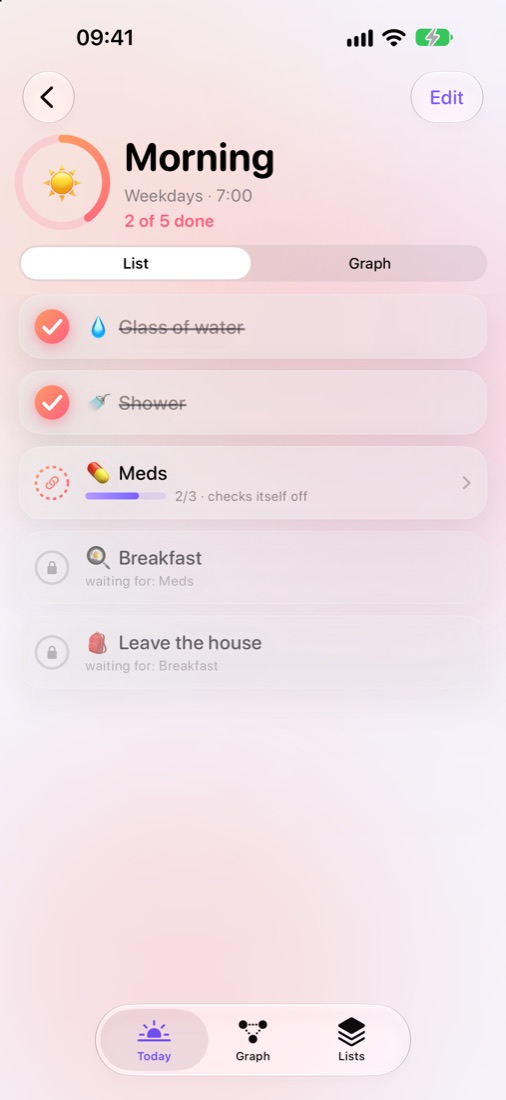
Steps, locks & sublists
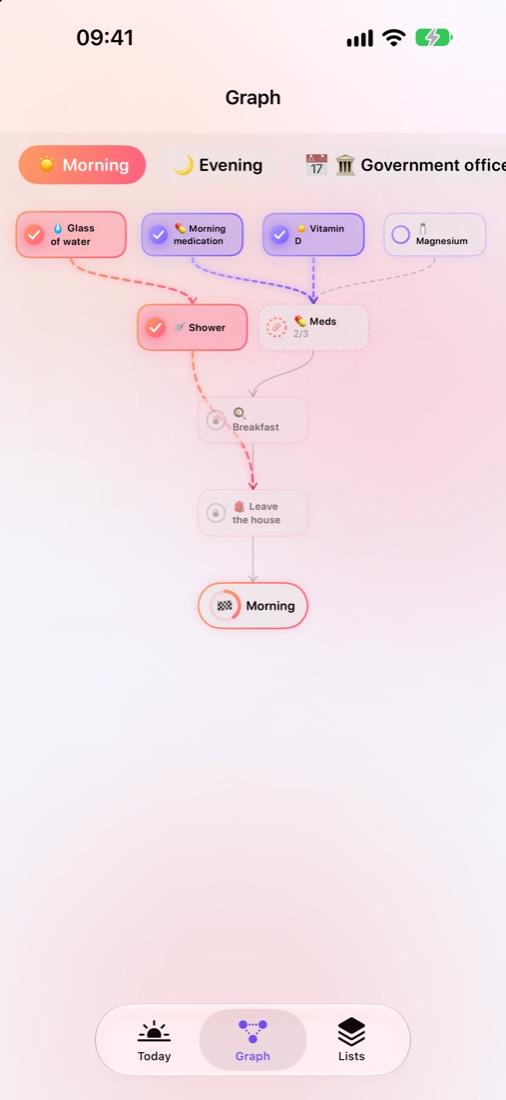
The routine graph
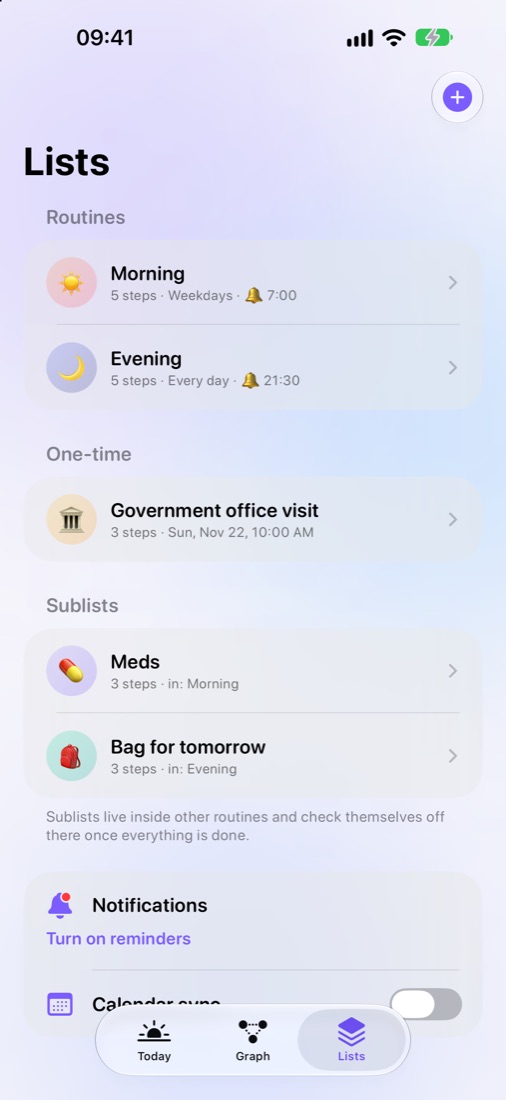
Routines & one-time lists
Everything a scattered morning needs
And nothing it doesn’t. No streak guilt, no account, no ads.
Dependencies
Steps unlock in order, so you never wonder what to do next.
Self-checking sublists
Meds, a bag to pack, a shopping run — done when every item is done.
Graph view
See the whole routine — what’s done, waiting or locked — and tap to check off.
Gentle reminders
Your first step in the notification, a 10-minute snooze and a nudge that vanishes once you’re done.
Two-way calendar
Move an event in Calendar and the time changes in the app. Add a ☐ line to its notes and it becomes a task.
Satisfying check-offs
Springy checkmarks, haptics and confetti — a tiny dopamine hit for every step.
Your routines stay yours
No account, no tracking, no servers. Everything lives on your iPhone — and in the calendar you choose, if you turn on sync.